Create Loome Portal Tasks
You can add a step that will create a task in the Loome Portal for all results or for records from your set condition in a rule.
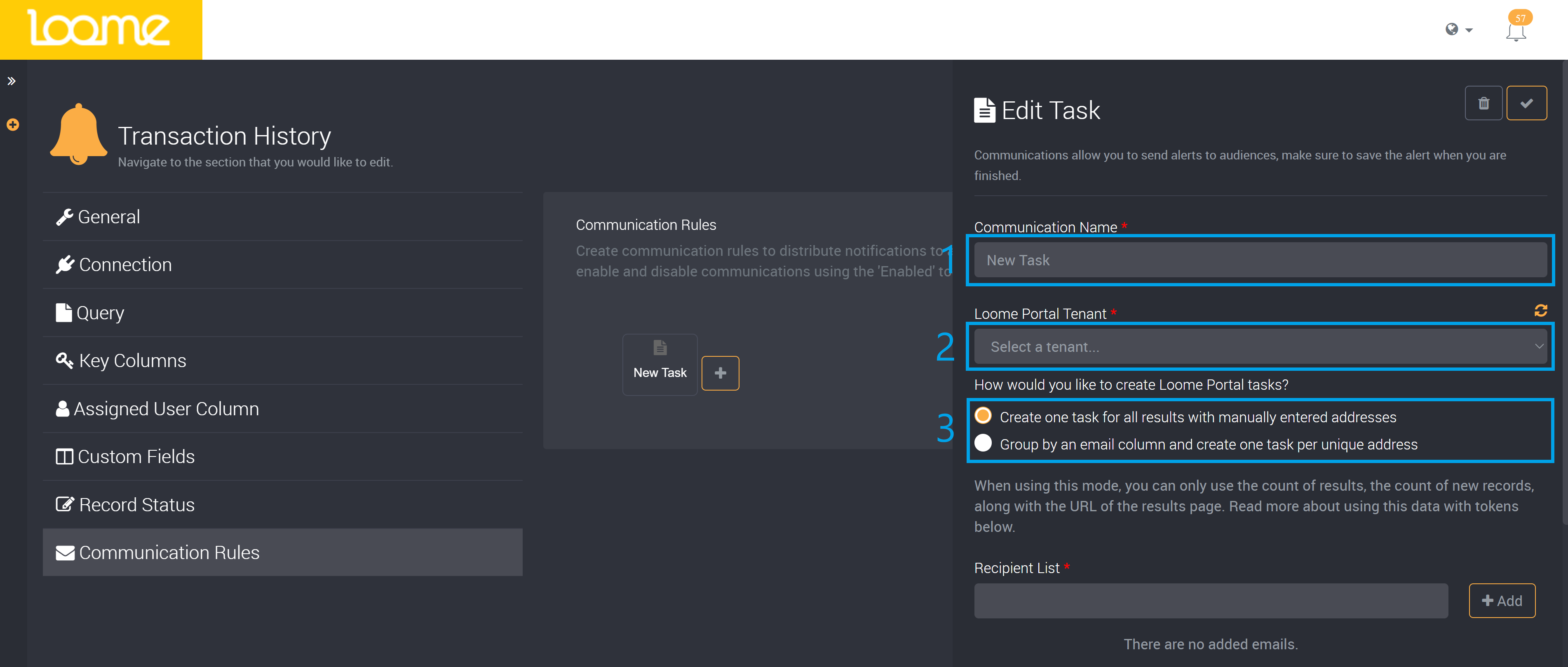
Provide a name for the communication step that will easily identify this step in Loome Monitor.
Choose the Loome Portal Tenant this task will be created in. Loome will provide the tenants you have access to in the dropdown. You can refresh the list of tenants at the top-right of the dropdown.
Choose how you would like to create Loome Portal tasks.
You can either:
- ‘Create one task for all results with manually entered addresses’
- All users will share one task for all results or records from a set condition.
- ‘Group by an email column and create one task per unique address’
- Each user in the email column will have their own task for their assigned records. (The number of records also depends on whether there are set conditions.)
In the Loome Portal these email addresses will be added as the assigned users for the task. Any users that do not belong to the tenant will receive an invitation to join the Loome Portal tenant.
- If you choose to manually add email addresses, type in the email and click on Add. You can add multiple emails at once by separating them with a semi-colon, and then clicking on Add.
- If you choose to group by an email column, choose the email column from the Recipient Column dropdown.
You can then choose to add tokens. Drag and drop them into the title or description field.
- You can use the ‘Results Count’ token to view the number of records in the results in the task.
- ‘Results Link’ will add a link that directs to the results page.
Provide a title and description for the task in Loome Portal.
The title will be displayed as the title of the task in the Loome Portal, while the description will be displayed in the task.
After you save and run the communication rule, the task will be created in the Loome Portal.
These tasks will have a set due date of seven days from the date the task was created with a default medium priority.
The task will automatically also provide a link that will direct back to the results of this rule for the task assignees.
Users can then view their task in the Loome Portal and when finished, mark it as complete. When a rule has been run and all records have been resolved in Loome Monitor, the related tasks will be automatically marked as complete in Loome Portal.