SQL Server Reporting Services
How do I add a SQL Server Reporting Services source system?
Click on the Settings cog at the top right and choose Source Systems from the menu.
Click New at the top-right.
Select SQL Server Reporting Services.
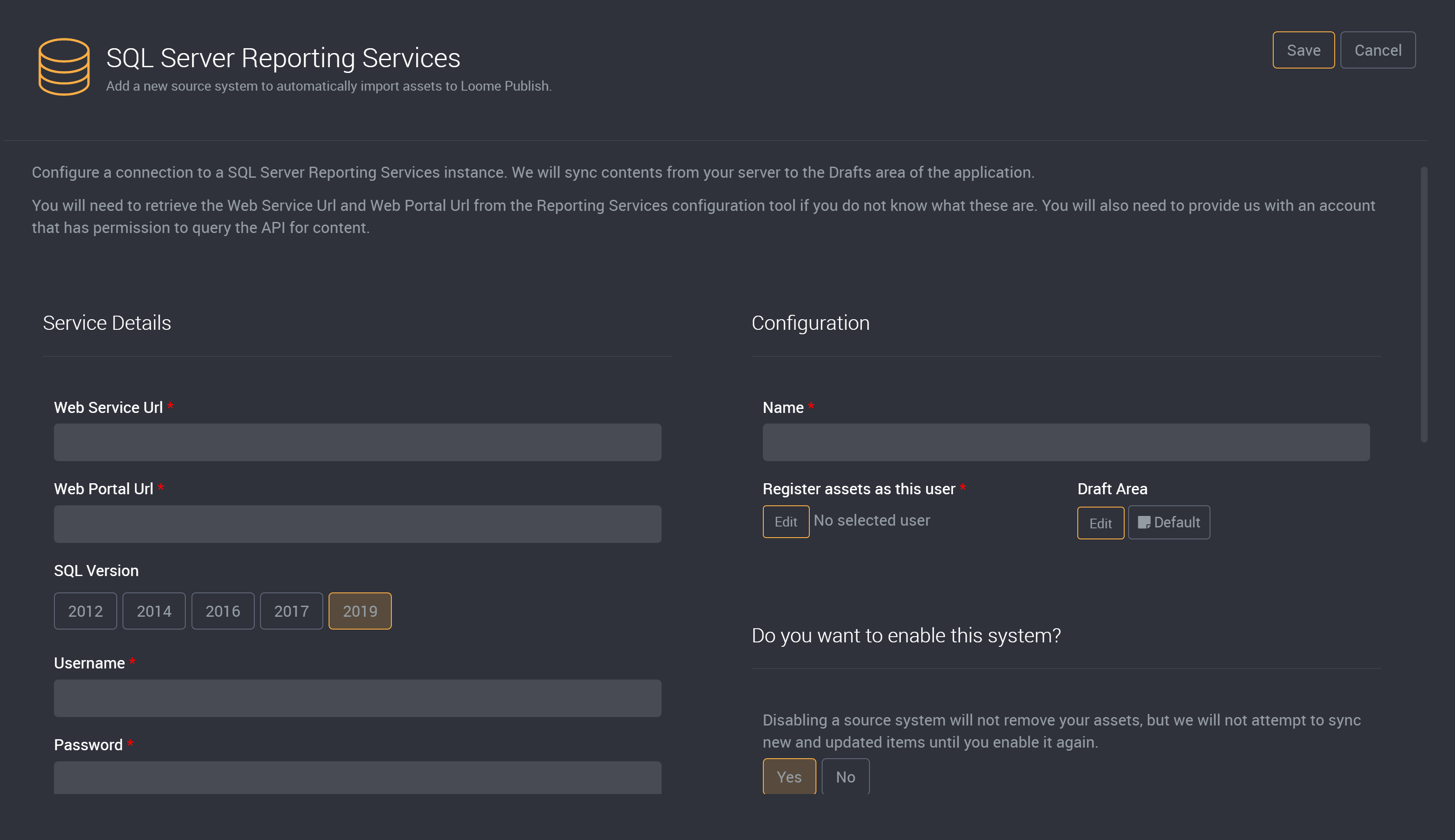
Configuration
Name
Enter a name for the source system.
##### Register assets as this user
Select a user or group to register the assets as.
And choose to sync content into a draft area.
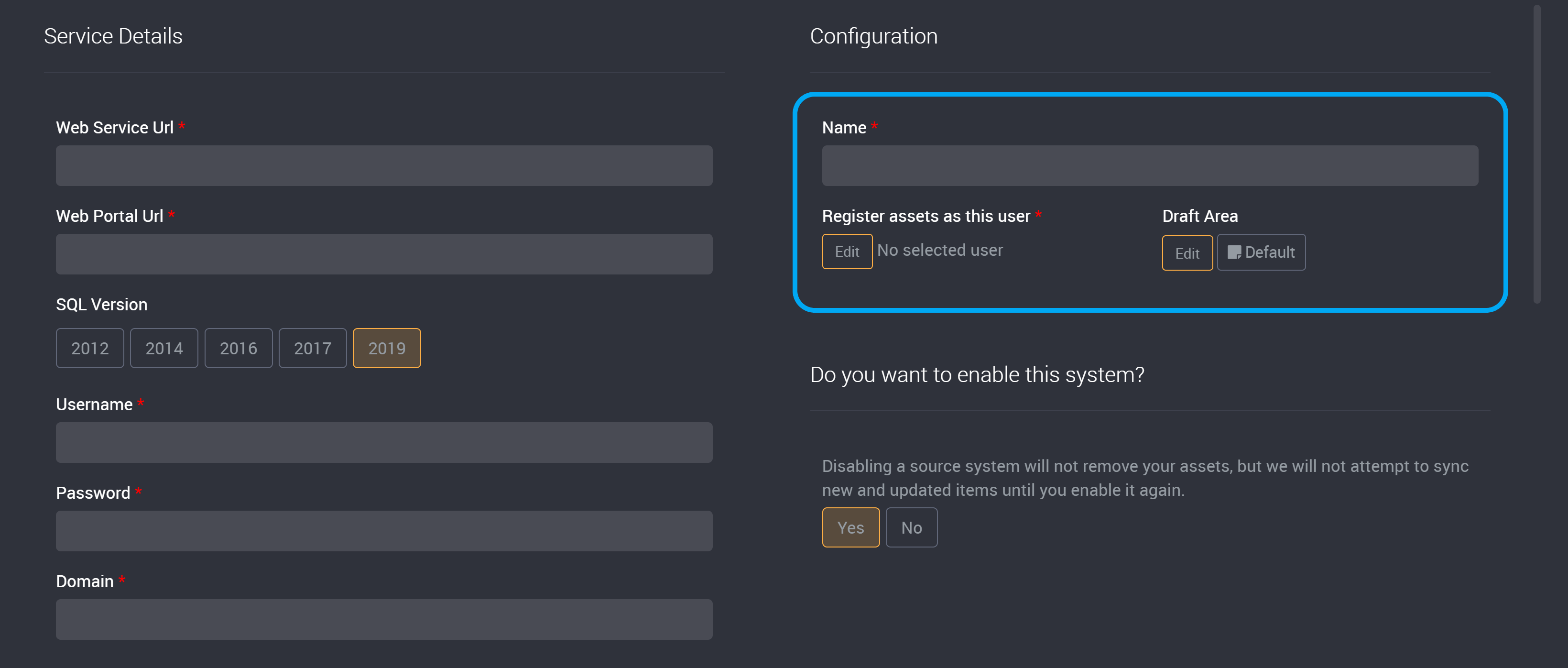
Enable this System?
If enabled, the source system will be synced every 10 minutes to retrieve new and updated items from the server.
Select whether or not you want to enable the source system.
- Yes (default)
- No
Disabling a source system will not remove your assets. New and updated items will not be synced until the source system is enabled again.
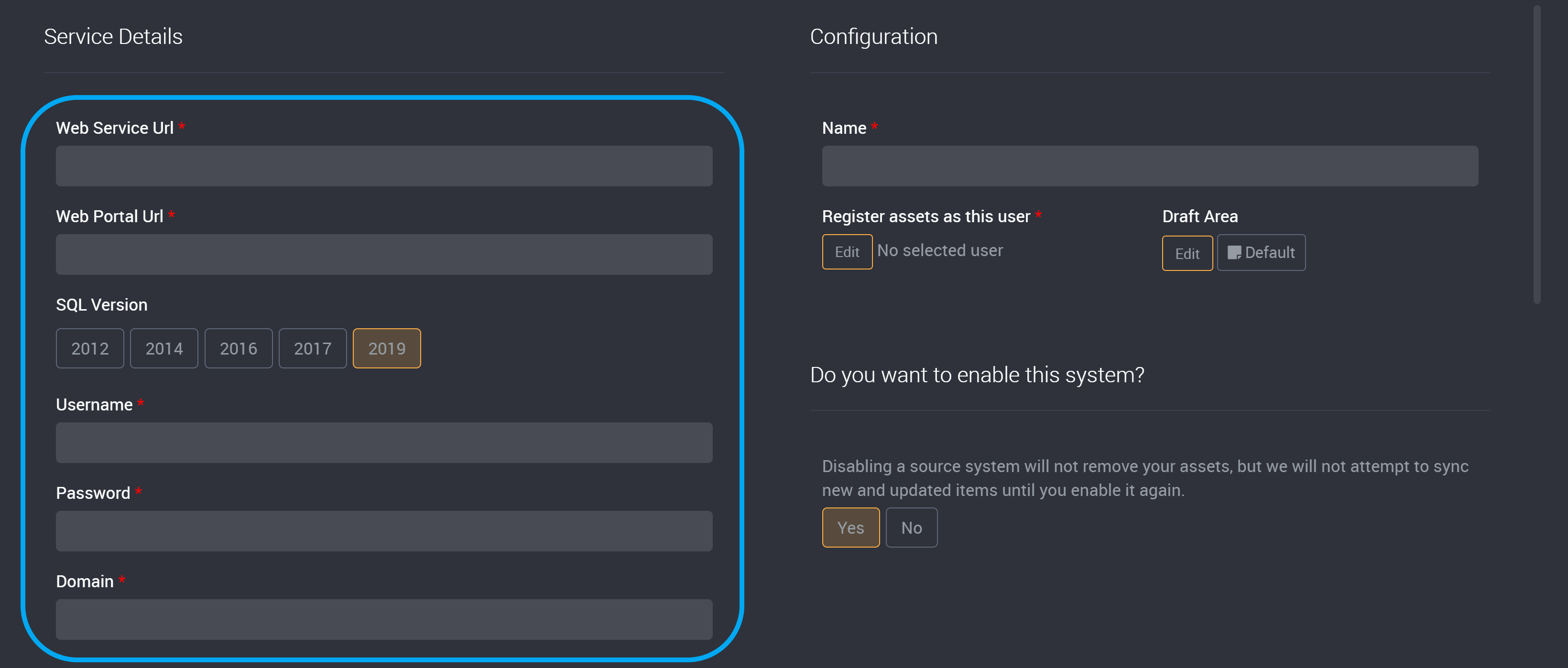
Service Details
##### Web Service Url
Enter the web service URL.
##### Web Portal Url
Enter the web portal URL.
##### SQL Version
Select the version of the SQL Server.
##### Username
Enter the username for the service account.
##### Password
Enter the password for the service account.
##### Domain
Enter the domain.
Advanced
##### Authentication Type
Select the authentication type:
- Negotiate
- NTLM (default)
- Basic
##### Protocol Type
Select a protocol type:
- https
- http
Private certificate
This option will only appear if https is selected.
Select whether a private certificate is used.
- Yes (default)
- No
Enter the thumbprint from the Certificate Authority
If you selected Yes to having a private certificate, you will need to provide the certificate thumbprint here.
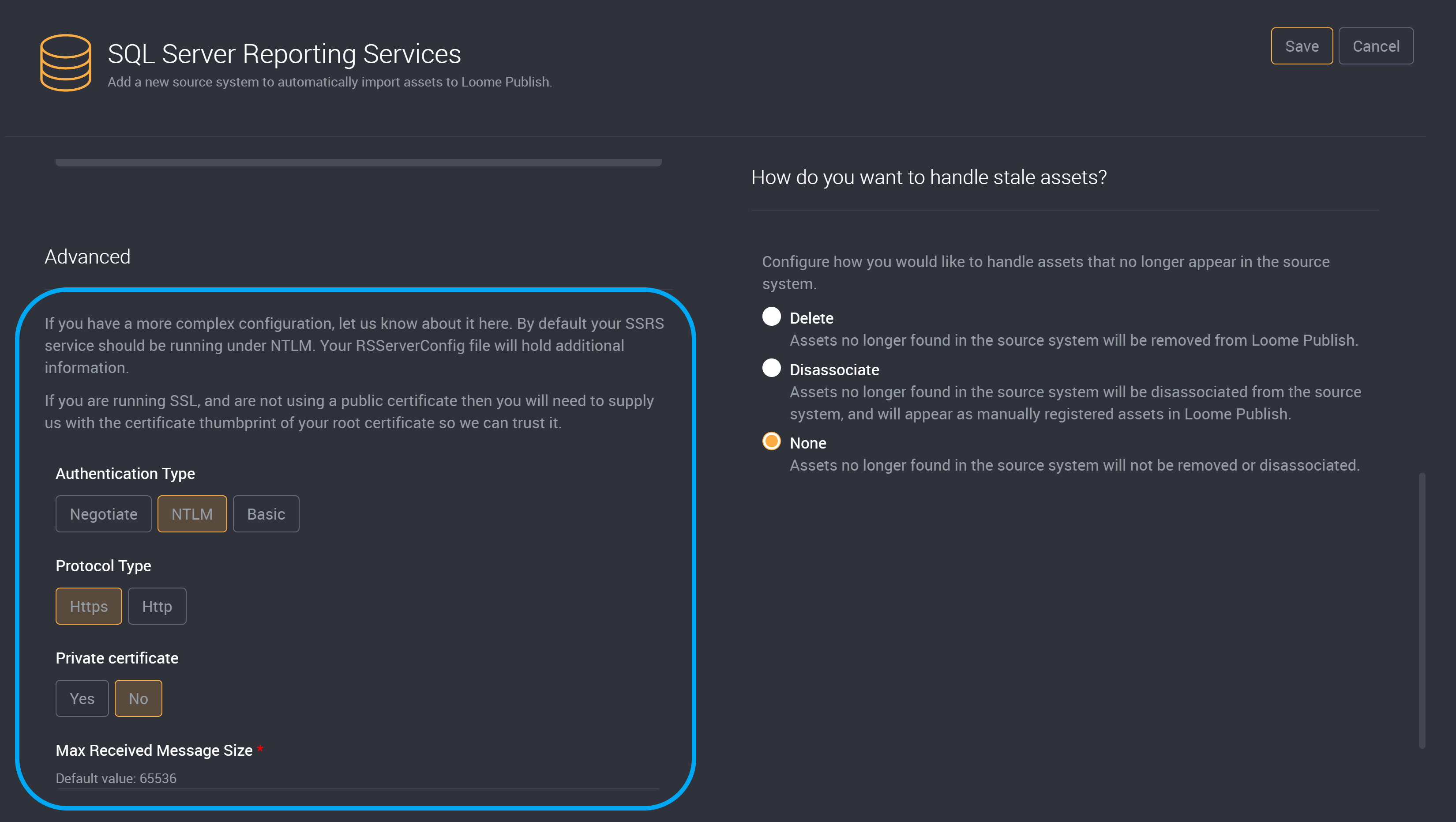
Choose the Max Received Message Size. The default is 65536.

How to Handle Stale Assets
Configure how you would like to handle assets that no longer appear in the source system.
- Delete: Assets no longer found in the source system will be removed from Loome Publish.
- Disassociate: Assets no longer found in the source system will be disassociated from the source system, and will appear as manually registered assets in Loome Publish.
- None: Assets no longer found in the source system will not be removed or disassociated.