Execution History
Loome Integrate Execution History contains all of the information you need regarding the jobs and tasks that have been executed.
It contains the history of all executions of a selected job. These rows can be expanded and drilled down further for more execution details.
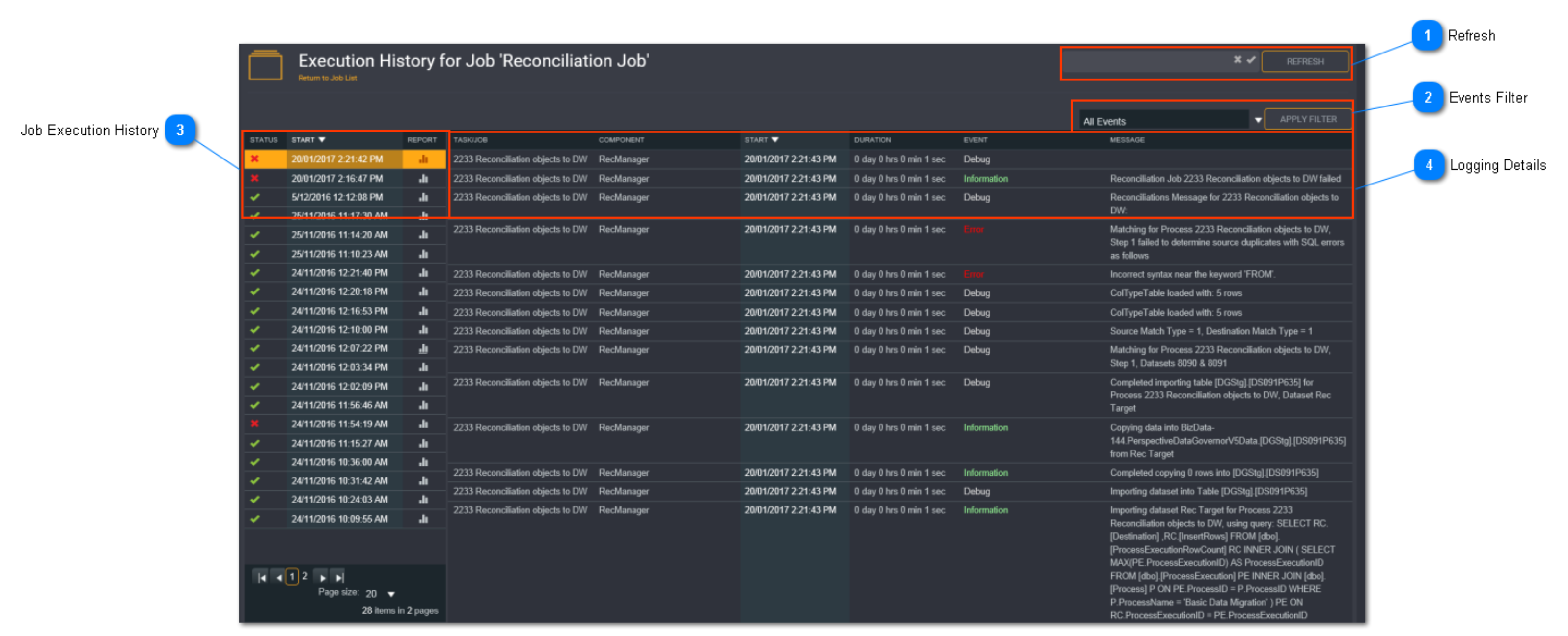
Refresh
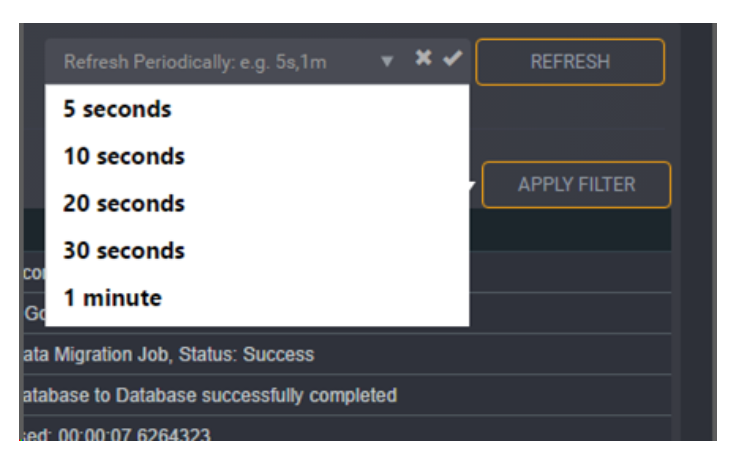
The refresh button is used to refresh the job run and logging details. Select a refresh frequency from the drop down box and click Refresh.
Events Filter

The events filter allows you filter on one or more logging event. Select one or more events from the drop down list, then click Apply Filter.
Refer to Logging Details for more information.
Job Execution History
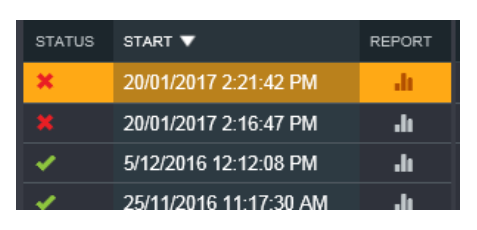
This is a summary of the jobs that have been run. If the job that ran included a Reconciliation task, a report icon will display. Click on this icon to view the Reconciliation Report results.
Refer to Reconciliation Results for more information.
Select a job run to bring up the logging details and information relating to the job run. The information displayed will depend on which logging level was set.
Tip: You can limit the number of job execution history by defining a limit value in System Settings.

Refer to System Settings for more information.
Logging Details

The logging details will display the following columns:
- Task/ Job- a link to the job or task that was executed
- Component - the Loome Integrate execution component of the task/ job
- Start - the start date and time of each job step
- Duration - the execution duration of each step
- Event - the logging event
- Message - the execution message
Refer to Logging Details for more information.