Importing Jobs
Loome Integrate jobs can be imported into another project, group, or environment. Make sure that you are in the correct environment. From anywhere in Loome Integrate, select Deployment from the Admin drop down menu.
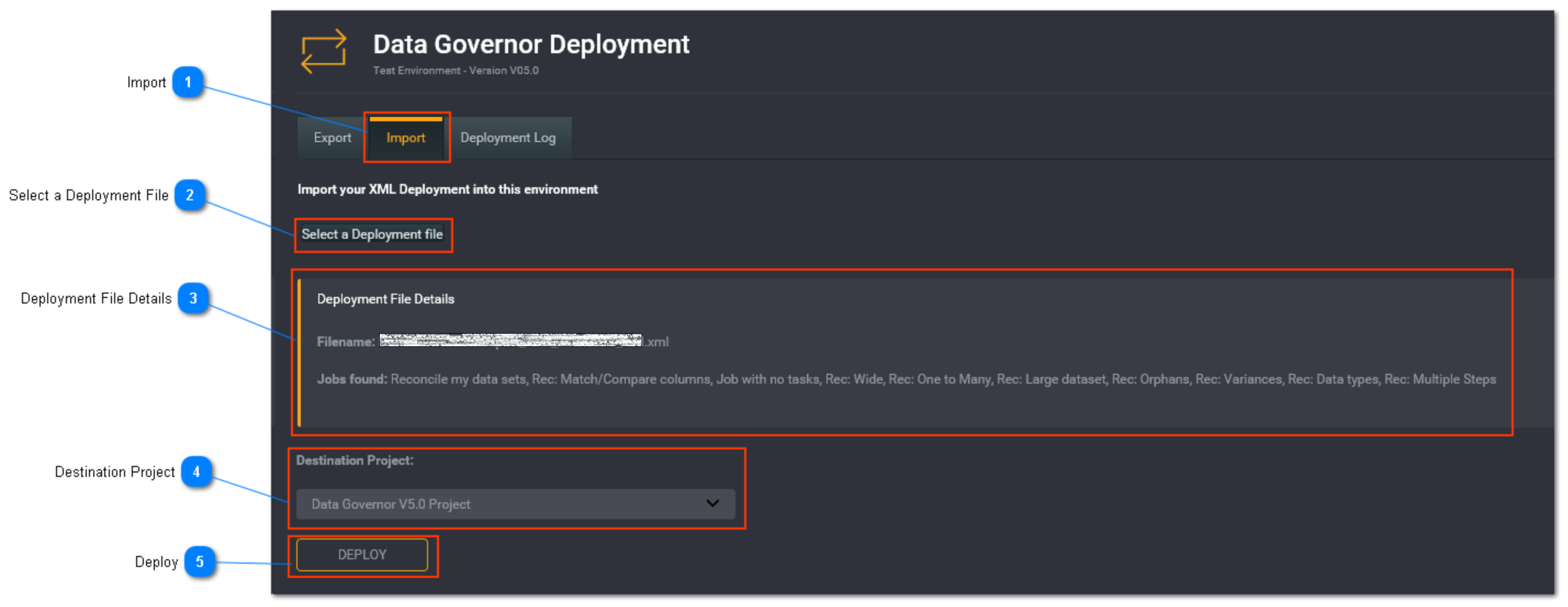
Import
Select the Import tab to perform an import of jobs.
Select a Deployment File
Click on Select a Deployment file. Browse and select the XML file you want to import.
If the file is not an XML file, you will see something similar to the below:
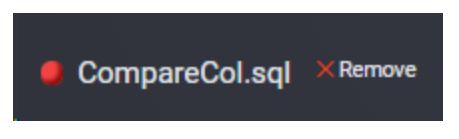
You will need to click on Remove and then try again and select the correct file.
Deployment File Details
Once the XML file is loaded, it will display the filename, and job names here. Check that this is the details are correct.
Destination Project
Select the project where you want the jobs from the file to be import into.
Tip: Make sure that you are importing into the correct environment.
Deploy
Once you are ready, click Deploy to import the jobs.
The jobs will then start deploying. View the Deployment Log to see the progress of the deployment.