How to renew a SSO certificate
What Happened?
Issue:
Unable to login to Loome due to an expired SSO certificate.
Root Cause:
The client secret for the SSO certificate has expired.
How can you fix it?
Resolution
You will need to generate and apply a new certificate by following these steps:
Note
Please note that this process will restart the app service.
- Navigate to App registration in Azure Portal.
- Open your registered app for Loome.
- Navigate to Certificates & secrets.
- Under Client Secrets, generate a new client secret.
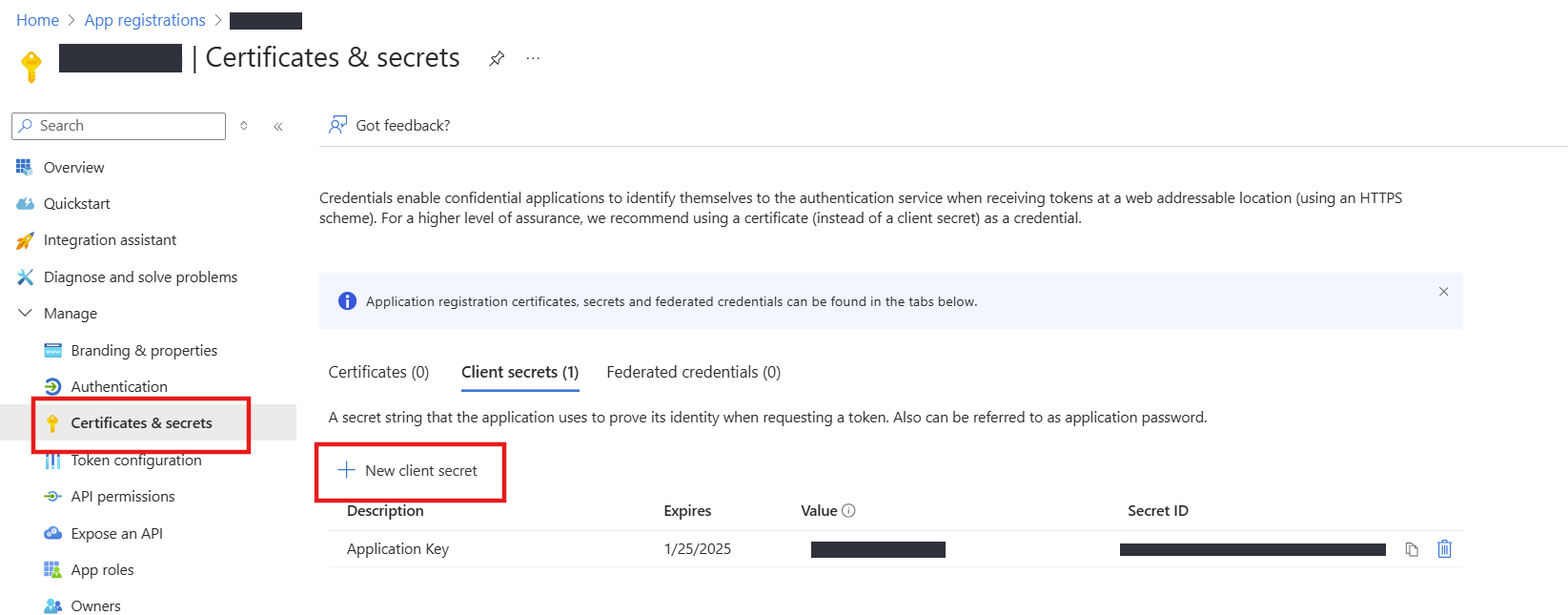
- Copy the value of the new client secret.

- Open the App Service in Azure Portal.
- Go to Settings > Environment Variables on the left menu.
- Find ‘AppKey’ and open it.
- Replace the Value with the new client secret you copied in the previous step.
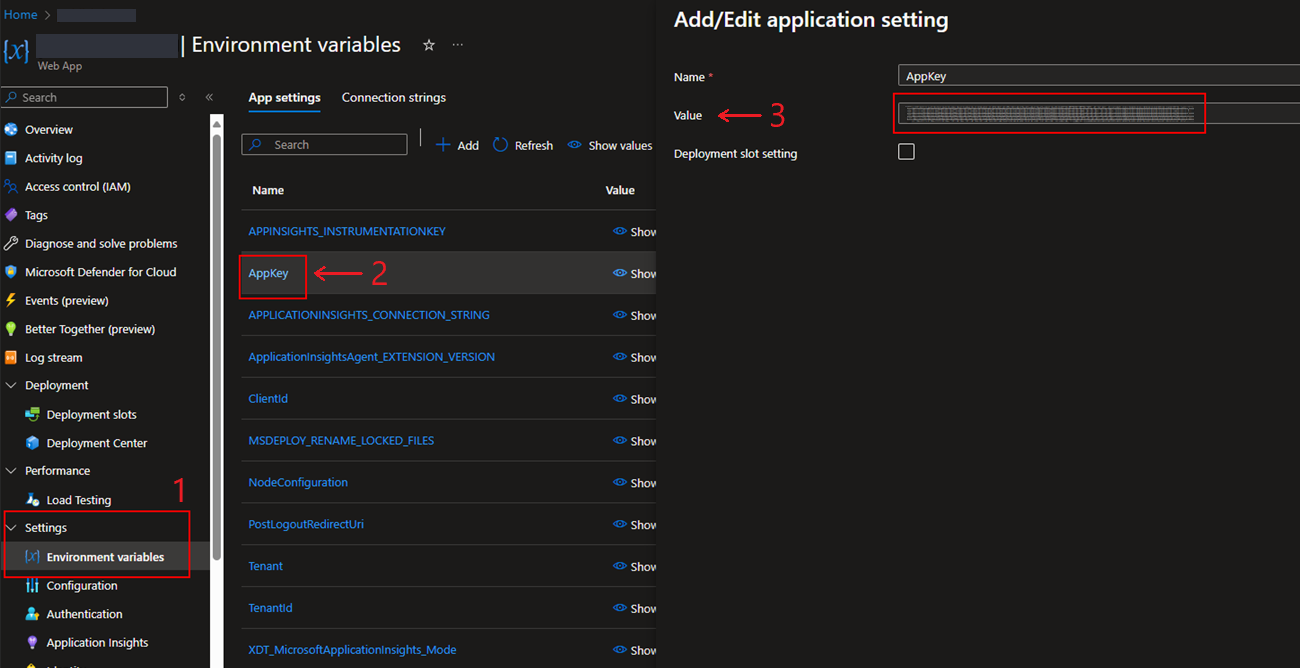
- Click on Apply on the slide out.
- Click on Apply on the bottom of the page.
Note
Please note that this will restart the app service.