Discussion Filters
What are discussion filters?
Discussion filters will appear in the ‘Discussions’ pop up screen as discussions threads get created. Depending on the configurations of the threads created, the appropriate filters will appear.
For example, if multiple authors created discussion threads for an asset then the ‘Author’ filter will appear. Likewise, if there are different discussion types used then the ‘Type’ filter will appear.
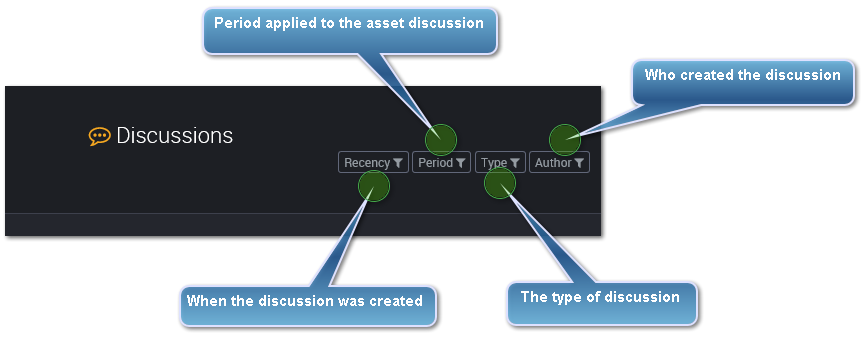
What discussion filters might I see?
Recency
This allows you to filter on when the discussion was created.
This filter is a date range.
##### Period
This allows you to filter on any period applied to the asset.
This filter is a date range.
##### Type
This allows you to filter on different discussion types.
- Report Commentary
- Performance Review
- Usage Guide
- Test Feedback
And any other discussion types added.
##### Author
This allows you to filter on who created the discussion thread.