Accessing Loome Integrate
To access Loome Integrate, open up an Internet Browser session and enter the URL configured in IIS. For example, http://datagovernorprod.[company name].com
Tip: Check browser compatibility in Web Interface Prerequisites.
Loome Integrate will display the following screen:
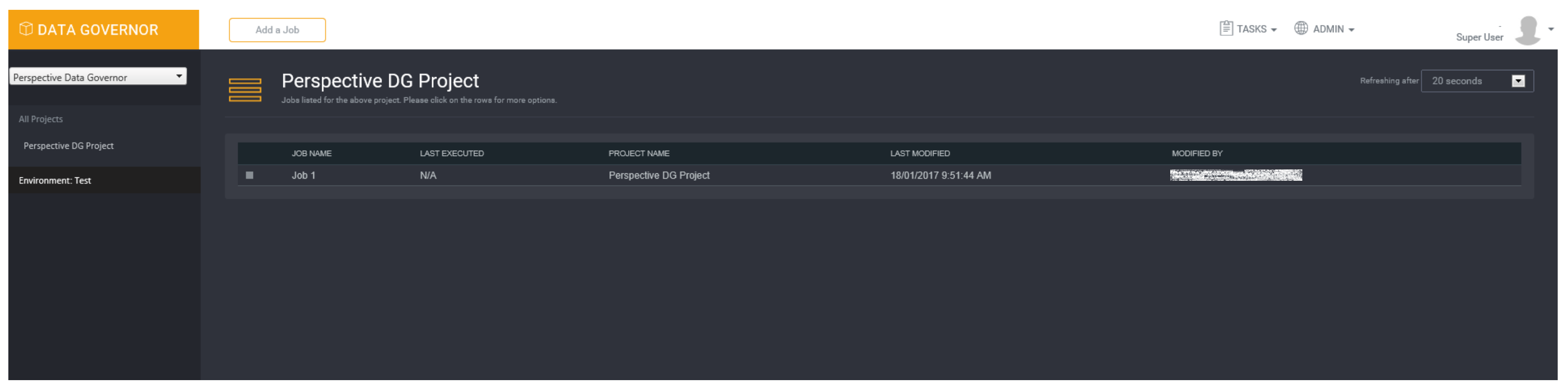
This is your main display screen with the group and projects information displayed down the left hand side and the job information displayed in the centre of the screen.
Required Settings In Internet Explorer 11
For Loome Integrate to function correctly Internet Explorer the user needs to set the Cache and Compatibility Settings.
Cache Settings
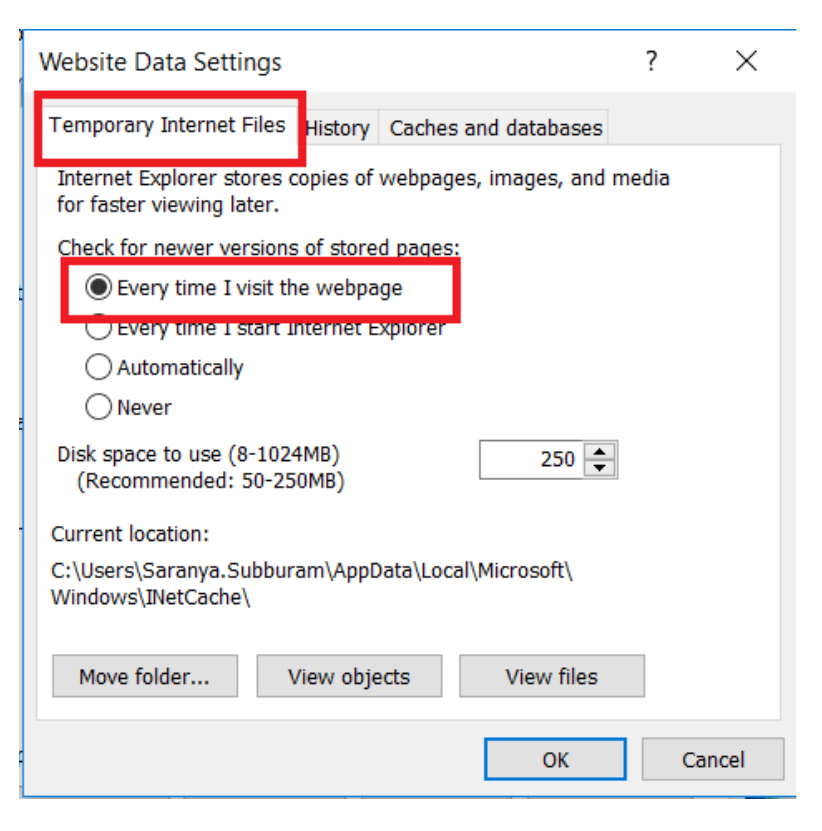
Loome Integrate requires that the caching be set to Every time I visit the webpage
-
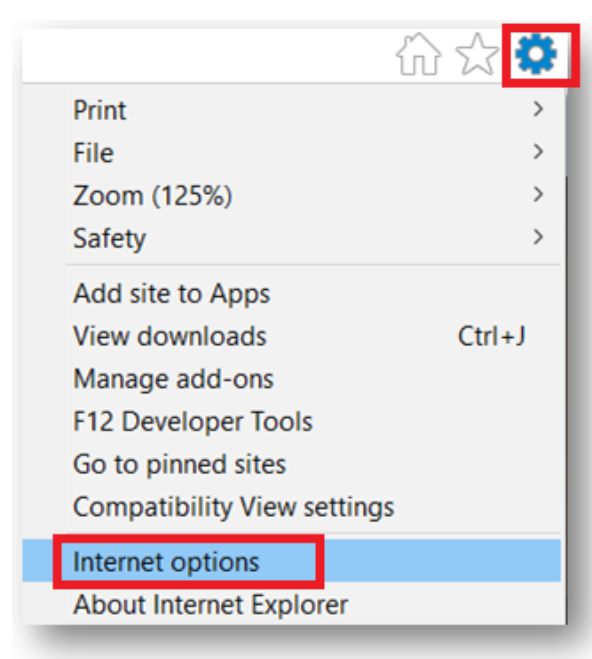
Open up Internet Explorer. Navigate to Tools -> Internet Options
-
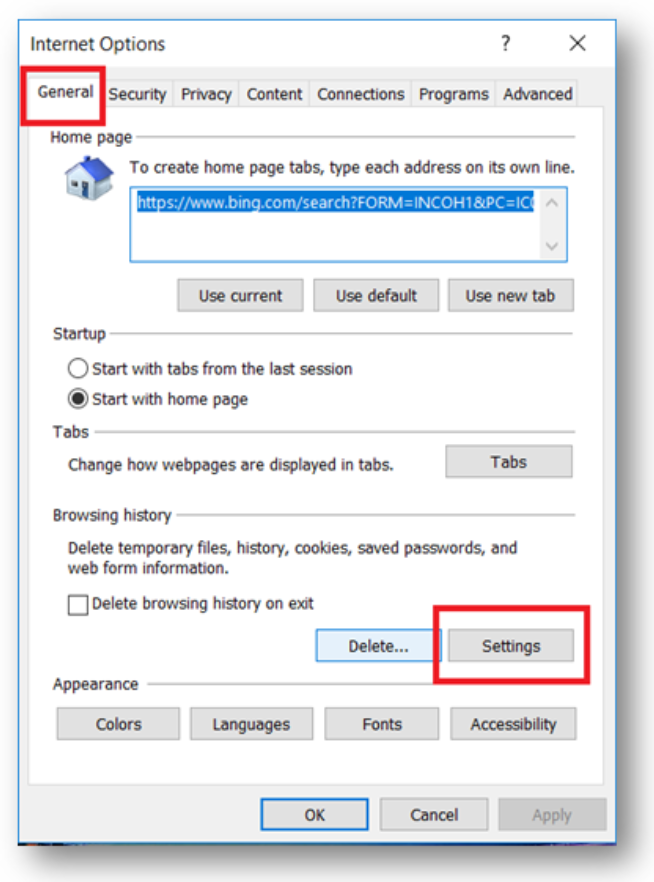
In General tab, click Settings under browsing History section.
-
In the Temporary Internet Files tab, set the option to Everytime I visit the webpage under Check for newer versions of stored pages:.